Blender add-on · Geometry, Shader & Compositor · 4.2 – 5.x
A node group manager for Blender.
Browse, audit, and clean up Geometry, Shader, and Compositor node groups from a single sidebar panel.
See every node group in the file, filter the list in seconds, and inspect
exactly where each group is used. File Health scores the file from 0–100, while Duplicate
Finder consolidates matching .001 copies only after every user is remapped.
Interactive demo
Clean the sample file
This interactive sample mirrors the add-on's Geometry browser. It contains one duplicate copy and one orphaned group, giving the sample a score of 43 / 100. Merge the duplicate, clean the orphan, and watch the list and score update after each step.
One duplicate copy of Geometry Nodes and one orphaned group. Start with Merge duplicates.
One system, three editors
A manager for every node workflow
Press N in the Geometry, Shader, or Compositor editor and the matching GN Manager, SN Manager, or CN Manager opens automatically. In the 3D Viewport, all three are available from one Nodes Manager tab with a selector at the top.
38-second manager walkthrough. See the browser, active-group tools, cleanup panels, and file-wide utilities working inside Blender.
Geometry Nodes
GN ManagerColumns: Name · Nodes · Groups (nested count) · Objects (users)
- Filter by plain text or full regex; sort by name, users, node count, nesting, references, or complexity
- Toggle filters for Unused, Orphaned, Favorites, Selected, and the active object; switch to a collapsible hierarchy Tree View
- Detail card for the active group: node / link / nested / object counts, complexity score, Validate
- Open, Rename, Duplicate, Batch Replace, Select Users, Quick-Assign to selected objects
- Remove, or Remove + Nested with a preview of everything that goes
- Version tag, Socket Descriptions, Changelog, Snapshot, and a Dependencies tree (parents and children)
Bulk: Scan Unused Sockets · Version Overview · Remove Orphaned · Remove All · Import from .blend · Export Team Manifest (JSON/CSV)
Shader Nodes
SN ManagerColumns: Name · Nodes · Groups (nested count) · Mats · Objects
- Same browsing, filtering, and cleanup tools as Geometry, applied to material node groups
- The extra Mats column shows how many materials use a group, alongside how many objects those materials reach — a group with 0 in either column is safe to remove
Bulk: the same set as Geometry — Scan Unused Sockets · Version Overview · Remove Orphaned · Remove All · Import
Compositor
CN ManagerSplit into two halves, because compositing is scene-specific:
- Scene Browser (top) — every scene in the file, with an Enable / Disable Compositor toggle, an Open Compositor button, and node counts (Total / Active / Muted)
- Compositor Group Browser (bottom) — its own filterable, sortable list of compositor node groups, with a Scenes column counting direct and nested reachability
- This Scene Only (on by default) narrows that list to groups actually reachable from the scene selected above — turn it off to see every compositor group in the file
Bulk: Scan Unused Sockets · Version Overview · Remove Orphaned · Remove All · Import
The managers
One familiar layout across three editors
Geometry, Shader, and Compositor share the same browse, inspect, and act pattern, while each manager surfaces the usage counts that matter to its editor.
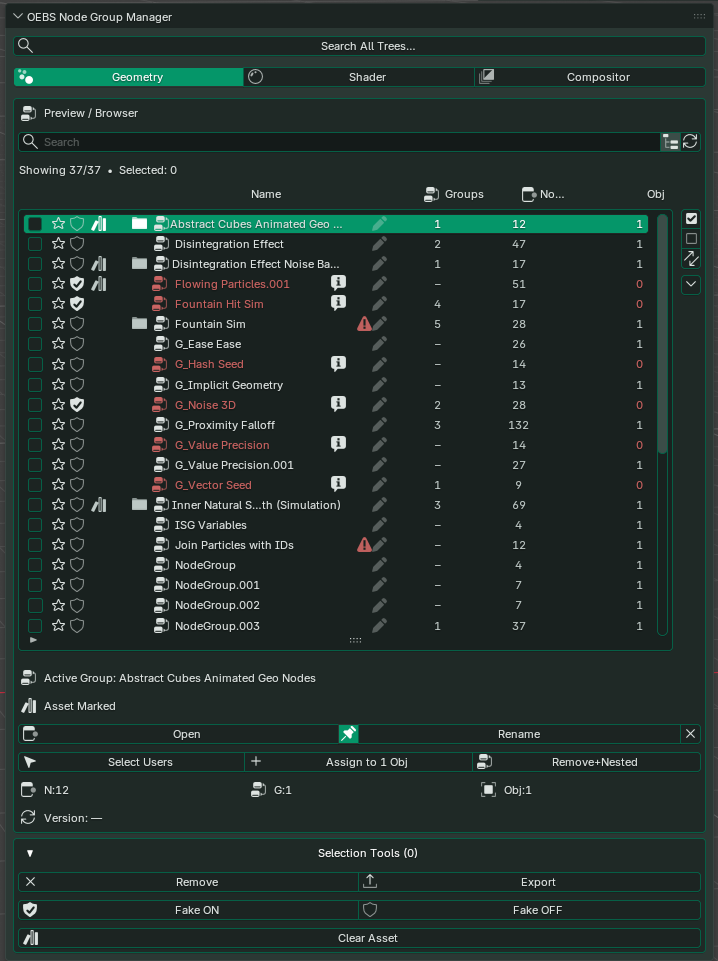
Geometry Nodes Manager
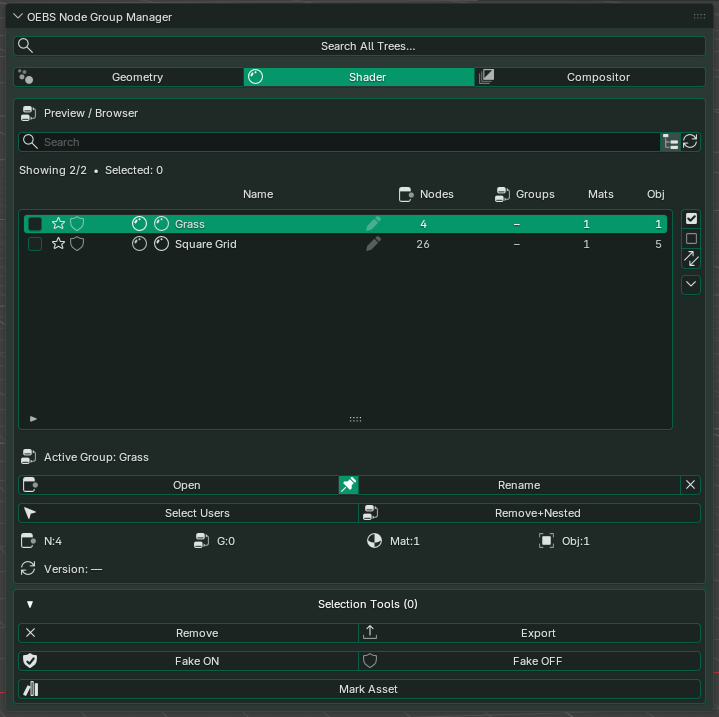
Shader Nodes Manager
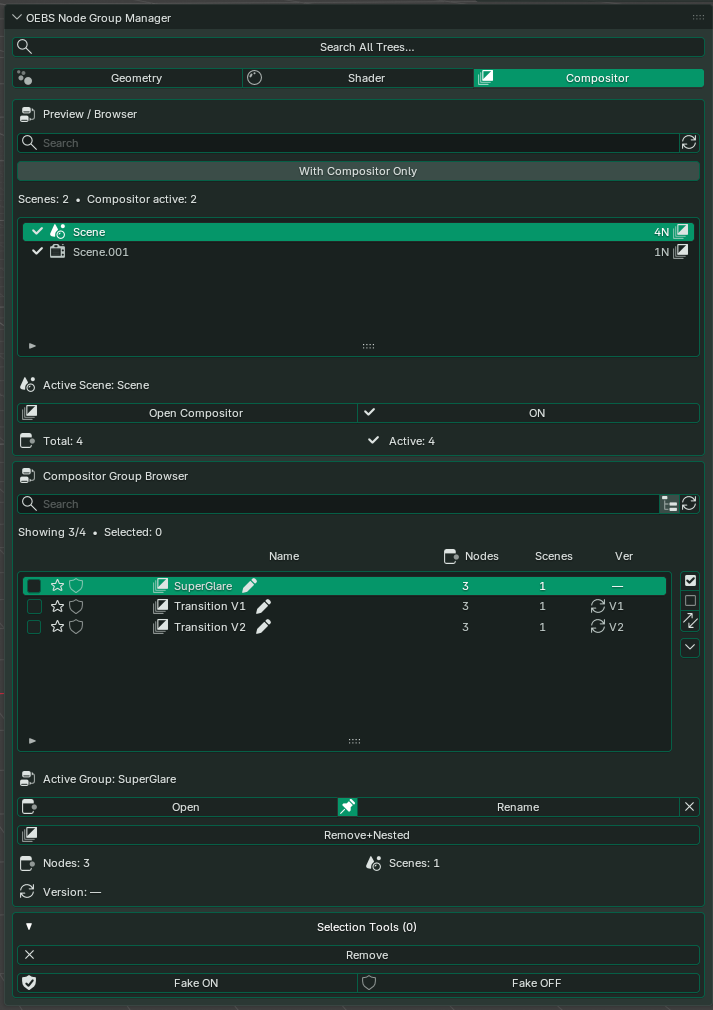
Compositor Nodes Manager
File-wide tools
Audit, consolidate, and reuse
Go beyond day-to-day browsing with tools that merge duplicate graphs safely, audit the entire file, and bring trusted groups in from reusable libraries.
Duplicate Finder
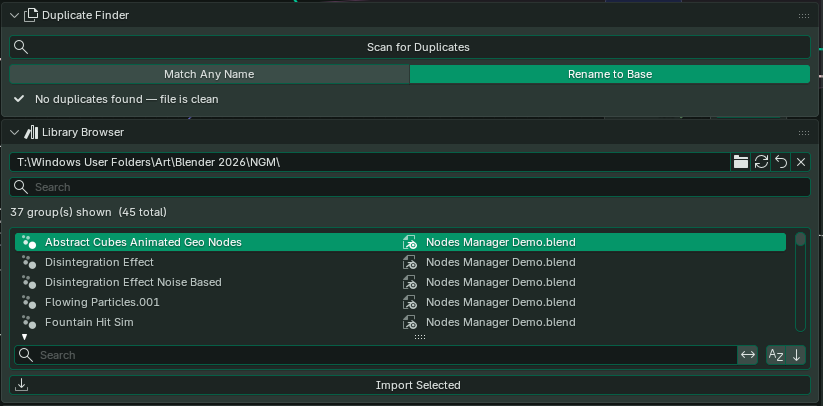
Compares full graph topology instead of names alone, identifies matching .001 copies, and remaps every object, material, and parent group before removing the extras.
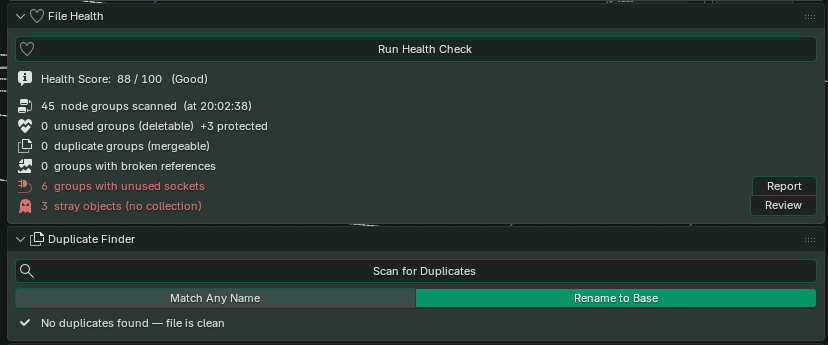
File Health
Score the whole file from 0–100 across duplicates, orphans, broken references, unused sockets, and stray objects, with direct actions for anything that needs attention.
Library Browser
Index a folder of .blend files, search the available groups, and import one without opening its source file. Cached results keep repeat scans fast.
Day-to-day workflow
From finding a group to shipping it
Configure the browser
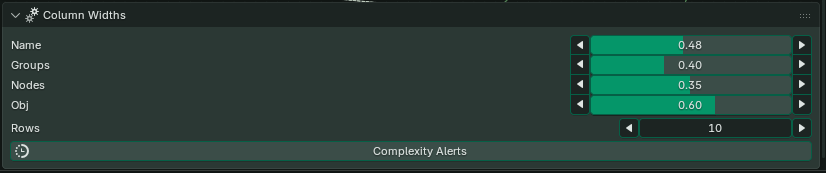
Set the row count and column widths so names, nesting, node counts, and object usage remain easy to compare.
Select and act
Select one or more groups, then export them, protect them with Fake User, mark them as assets, or remove them.

Run batch maintenance
Scan unused sockets, review versions, remove orphaned data, or rename multiple groups in one pass.

Diagnose and exchange
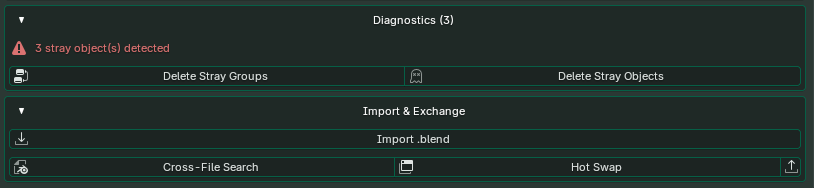
Resolve stray data, import groups from another file, search across libraries, or hot-swap a group in place.
Who it's for
Built for node-heavy production files
Technical artists
Managing 50+ node groups and deciding which are safe to delete.
Shader artists
Large material libraries where naming and versioning genuinely matter.
VFX artists
Multi-scene compositor setups across complex production files.
Asset creators
Auditing, cleaning, and exporting node group collections for distribution.